Why Are My Emails Going to Spam? 7 Checks to Fix It
By Ashish Pratap · Oct 13, 2026 · 4 min read
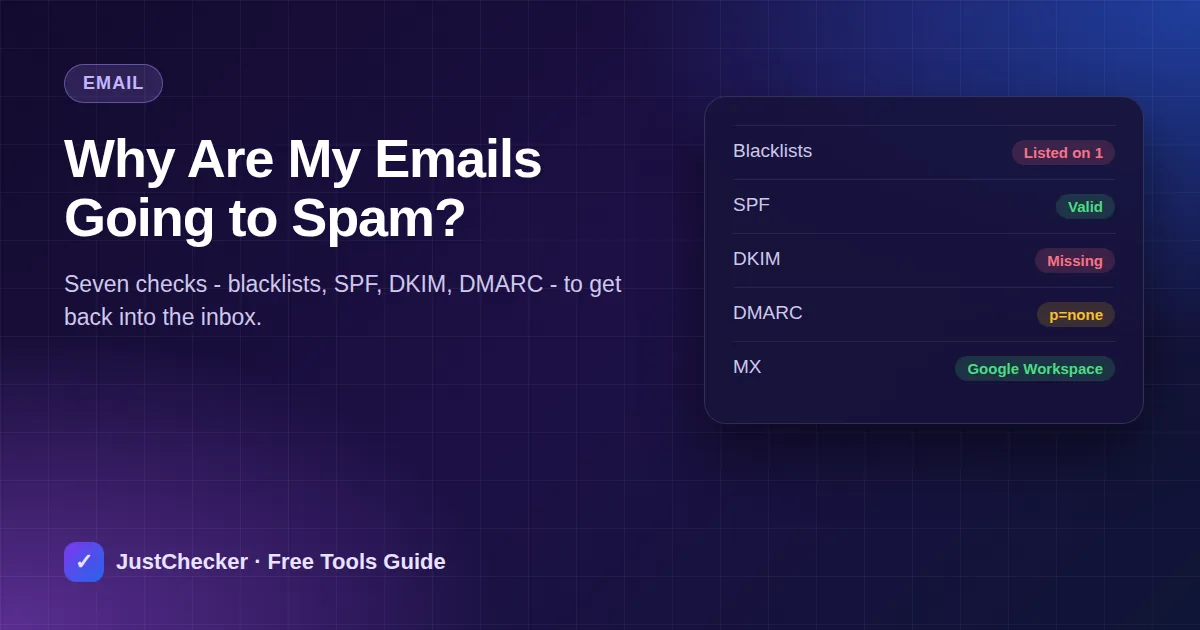
"I never got your quotation." When a customer says that, the email very often did arrive - in their spam folder. For a small business that sends invoices, order confirmations and replies to enquiries, spam filtering quietly costs sales.
The cause is almost always one of a handful of things, and most can be checked from outside in a few minutes. Work through this list in order.
1. Is your domain or server on a blacklist?
Blacklists (also called blocklists or DNSBLs) are lists of IP addresses and domains that have been seen sending spam. Many mail servers check them before accepting a message. If your mail server's IP is listed - perhaps because a hacked contact form sent spam, or another customer on the same shared server did - your mail can be junked or rejected.
Run your domain through JustChecker's Blacklist Checker. It checks your website server, your mail servers and the domain name itself against well-known lists, and links to each list's removal page.
Try it now: Blacklist Checker
Check your domain and its mail and web server IPs against Spamhaus, SpamCop, Barracuda and other major blocklists.
If you are listed, find and fix the cause first - change passwords, clean up any infected website, secure open forms - then request removal. Asking for delisting while the spam continues just gets you listed again.
2. Do you have an SPF record?
SPF is a DNS record that lists the services allowed to send email for your domain - for example Google Workspace, Zoho or your website's server. Without it, receivers cannot tell your real mail from forgeries. Check it with the SPF Checker. A common mistake is having two separate SPF records; you must have exactly one, listing every service you send through.
3. Is DKIM switched on?
DKIM adds a digital signature to every message, proving it came from your domain and was not changed on the way. Your email provider generates the key; you add it to DNS. It is a setting many businesses never turn on. Test it with the DKIM Checker.
4. Do you have a DMARC policy?
DMARC ties SPF and DKIM together and tells receivers what to do with mail that fails. Gmail and Yahoo now require it for anyone sending in bulk, and having it helps everyone else too. Start with a monitoring-only policy (p=none) and tighten it later. Check yours with the DMARC Checker, or see SPF, DKIM, DMARC and MX scored together in the Email Security Summary.
5. Is your website sending mail on its own?
WordPress, WooCommerce and contact-form plugins often send mail directly from the web server, which is not in your SPF record and has no DKIM signature. These emails are the ones most likely to land in spam. Use an SMTP plugin to send through your real email provider instead.
6. What does the email look like?
- Avoid subject lines in ALL CAPS or full of "FREE!!!" and "URGENT".
- Do not send an email that is one big image with no text.
- Use a real reply-to address, not noreply@.
- For newsletters, include a clear unsubscribe link and only email people who asked to hear from you.
7. Is the problem one recipient or everyone?
If only one company never receives your mail, their own filter may be strict - ask them to add your address to their safe senders list. If everyone reports it, the problem is on your side, and checks 1 to 5 will usually find it.
Quick fix order
- Blacklist check - fix and delist if needed.
- One correct SPF record.
- DKIM switched on with your email provider.
- A DMARC record, starting at p=none.
- Website mail sent through SMTP, not the server.
After making DNS changes, give them a few hours to spread, then run the checks again. JustChecker can watch these records and alert you if someone changes or deletes them.
Frequently asked questions
How long does it take to get off a blacklist?
It depends on the list. Some remove entries automatically within a day or two once the spam stops; others need a removal request, which is usually handled within 24 to 48 hours.
Can a new domain cause emails to go to spam?
Yes. Brand-new domains have no sending reputation. Start with normal, low volumes of genuine email and make sure SPF, DKIM and DMARC are in place from day one.
Does free Gmail have the same problem?
Sending business mail from a free Gmail address rarely gets blocked, but it looks less professional and you cannot set SPF, DKIM or DMARC for a domain you do not own.